

First-Round Screening for Healthcare Across Global Hiring


Experience the power of AI-driven video screening and hire faster than ever.
Sign Up Now
Jun 17, 2020 |
Video interviews have become a standard part of the hiring process, especially as remote and hybrid work continue to grow in 2026. While they offer convenience and flexibility, succeeding in a virtual interview requires more than just answering questions correctly. From setting up your technology and creating a professional environment to delivering confident, well-structured responses, every detail matters.
Whether you're preparing for a live interview or a one-way recorded session, understanding what recruiters look for can give you a significant advantage. In this guide, you'll discover seven creative tips to crack a video interview in 2026, avoid common mistakes, and make a lasting impression that increases your chances of landing the job.
How to crack a video interview means preparing strategically for both live and one-way interviews by combining a strong technical setup, clear communication, structured answers, and a confident on-camera presence. Employers use video interviews to assess skills, confidence, and fit quickly, so clarity and preparation matter.
A video interview is now a standard stage in modern hiring, whether it’s a live call or a recorded session. If you’re searching for how to crack a video interview, start with thorough preparation. Research the company’s mission, products, culture, and recent updates. Then review the job description and map your experience to the role requirements.
Recruiters often ask why you applied and how you’ll add value. Make your answers specific by referencing company priorities and recent milestones. This instantly helps you stand out in a video interview because you sound informed, relevant, and intentional.
Use outcomes and numbers instead of generic claims. For example, instead of saying “I improved processes,” say “I reduced onboarding time by 30% by introducing a standardised checklist and short training videos.” This kind of detail strengthens your credibility during video interview preparation.
Gather likely questions and prepare short bullet answers. Common examples include: Tell me about yourself, Describe a time you handled a difficult stakeholder, and How do you prioritise work? Practise answers aloud to improve flow, reduce filler words, and build video interview confidence.
Technology issues cause more candidate anxiety than content gaps, so a proper setup is one of the most practical online interview hacks. Do a full tech check at least 24 hours before the interview: confirm your internet speed, camera, and microphone. If possible, use a wired connection. If you’re on Wi-Fi, sit close to the router.
Test the exact platform you’ll use. Many video interview tools require browser permissions for the camera and microphone. Grant permissions in advance and use the same browser and device on interview day. If the platform offers a test recording, treat it as a rehearsal opportunity.
Lighting and framing matter. Position the camera at eye level and sit far enough back that your head and upper torso are visible. Natural light from a window can work well, but avoid backlighting. If you look shadowed, place a small lamp behind your camera to add soft frontal light. Keep a neutral, uncluttered background so the interviewer focuses on you.
Sound quality is critical. Use a headset or dedicated microphone if possible, mute notifications, and close unused apps. If interruptions are likely (children, pets, construction), mention it briefly at the start and do your best to choose a quieter time.
Dress as you would for an in-person meeting. A video interview still requires smart professional attire. Wear a complete outfit (not just a formal top and casual bottoms). Unexpected movement can reveal mismatched clothing and harm first impressions.
Body language translates differently on camera. Sit upright with a slight forward lean to show engagement. Keep gestures within the frame. Too much movement distracts; too little can be read as disengaged. Smile when appropriate and maintain natural eye contact by looking at the camera rather than the interviewer’s image on your screen.
Video interviews tend to favour concise, well-structured responses. To follow best practices for video interviews, use a consistent framework such as the STAR method: Situation, Task, Action, Result. Keep context to one line, describe your responsibility, explain what you did, and close with a measurable outcome.
Use specific language. Replace “I led a major project” with “I led a six-person team to deliver a feature in eight weeks, increasing retention by 12%.” Quantified results help interviewers evaluate you quickly and remember you later.
Practise both competency and situational questions. For competency questions, build two to three STAR stories you can adapt to multiple prompts. For situational questions, use a fast problem-solving structure such as Clarify Analyse Act. These patterns improve clarity and reduce hesitation in a live video interview.
One-way video interviews are recorded answers are reviewed later. They require different preparation because there’s no interaction. Read the prompt carefully, outline your answer, and keep it concise. Time limits are common, so rehearse until you can deliver comfortably within the allotted seconds or minutes.
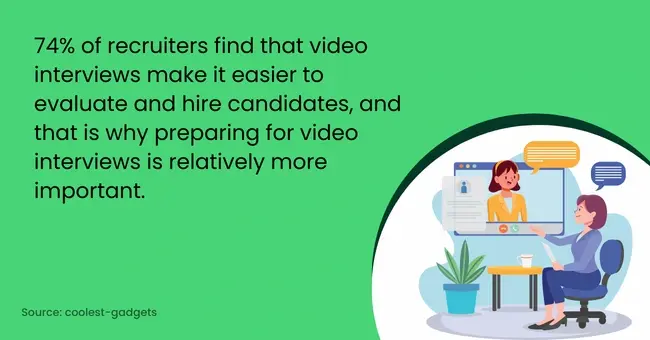
According to research, video interviews are a more preferred method of taking interviews, and that makes it important to prepare for them. Record practice takes to refine timing and tone. Avoid sounding scripted; speak naturally, but keep your responses tight. If multiple attempts are allowed, use the first to settle nerves and the next to polish clarity. If only one attempt is allowed, treat it like your final submission and focus on structure and delivery.
Keep any examples or references ready for live interviews (e.g., work samples), but for recorded interviews, don’t mention materials you cannot show. Instead, summarise outcomes and offer to share files after the interview in a follow-up email.
Nervousness is normal and can be more visible on camera. Use a simple breathing reset: inhale for four counts and exhale for four counts, repeating three times before you start. Keep one sheet of bullet prompts off camera for key facts (numbers, dates, names), but avoid reading from a script because it reduces warmth and spontaneity.
If something goes wrong, stay calm. If your connection drops, reconnect quickly and apologise briefly. Recruiters often judge how you handle disruptions as a signal of professionalism. If noise interrupts the session, pause, explain, and resume.
Close with a short summary of your interest and fit. For example: “I’m very interested in this opportunity and believe my experience in X will help your team achieve Y. Thank you for your time.”
Send a follow-up message within 24 hours. Keep it concise and reference one or two specific points from the conversation. If you promised links or documents, include them. This reinforces organisation and attention to detail after the video interview.
Example 1: A customer success candidate prepared three STAR stories covering onboarding, churn reduction, and cross-team collaboration. During the live interview, they used one project to answer multiple questions by emphasising different aspects each time. This saved time and still demonstrated deep experience.
Example 2: A software engineer completed a one-way video interview for a remote role. They rehearsed timed answers, recorded two takes per prompt, and submitted the clearest recordings. They also linked a short demo reel in the follow-up message, which made the evaluation faster.
Video interviews remain common because they speed up scheduling and reduce costs. For candidates, that means each video interview is a high-signal moment. Strong preparation, clean delivery, and measurable examples are the fastest way to stand out in a video interview.
Pro tip: If you can test the platform ahead of time, record one practice answer. Many candidates improve significantly after a single rehearsal, especially for a one-way video interview.
For recruiters and HR teams, use prompts that let candidates show impact rather than recite duties. Clear instructions and realistic time limits create a fairer, higher-quality evaluation process. For candidates, treat every video interview as a chance to present evidence of impact and fit.

A: For most questions, aim for 45 to 90 seconds. Use the STAR structure to stay focused. For one-way recorded responses, follow the platform time limit and practise until your answer fits comfortably.
A: Reconnect as quickly as possible and apologise briefly. If the issue continues, follow up by email explaining what happened and suggesting alternate times. Recruiters value calm, practical responses to technical problems.
A: Yes. Headphones with a built-in microphone often provide clearer audio and reduce echo. Choose a comfortable pair and test the sound quality in advance.
A: Dress one step above the role’s daily attire. For client-facing or leadership roles, that usually means formal wear. For technical or creative roles, smart business casual is often appropriate. Always wear a complete outfit and avoid distracting patterns.
A: Practice timed, concise answers and rehearse on the exact platform. Structure matters more because you can’t ask clarifying questions. Keep delivery natural, but tightly organised.
A: Send a concise thank-you message within 24 hours. Reaffirm your interest, reference a specific point from the interview, and attach any promised documents or links.
A: Common mistakes include poor lighting, roaming eye contact, overly long answers, skipping the tech check, and wearing incomplete professional attire. Practice and preparation remove most of these issues.
Async video screening cuts admin work while improving candidate experience. See personality, communication, and confidence-not just resumes. Try free for your next round.
Create Your First Interview Free2026 © All Rights Reserved - ScreeningHive